Case study · Wear OS
The number you need,
on the wrist that needs it.
Quandrix's founder, Will Burton, has been a type 1 diabetic for more than thirty-seven years — which is the whole reason this exists. A continuous glucose monitor already knows your blood sugar every minute, but the supported way to see it is a phone app, and he didn't want to be looking at a phone all day. Getting that number somewhere you can glance at it, without carrying a phone to do it, turned out to be the entire problem.
Three states, one glance
The face has one job: tell you where you are before you have finished looking at it. Colour does that work, so the number is readable at arm's length and the colour is readable without reading at all.
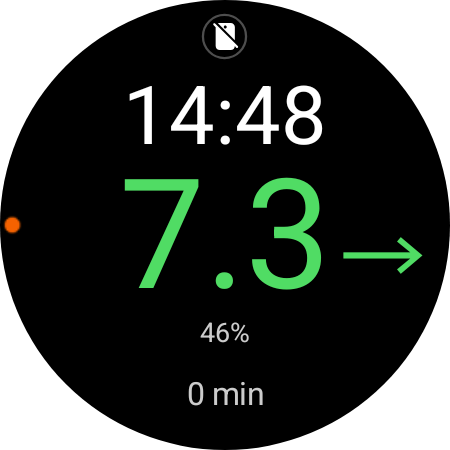
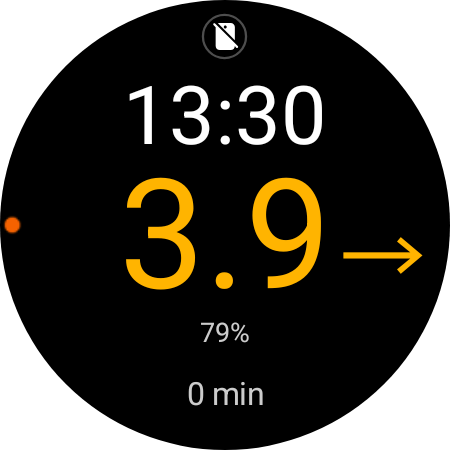
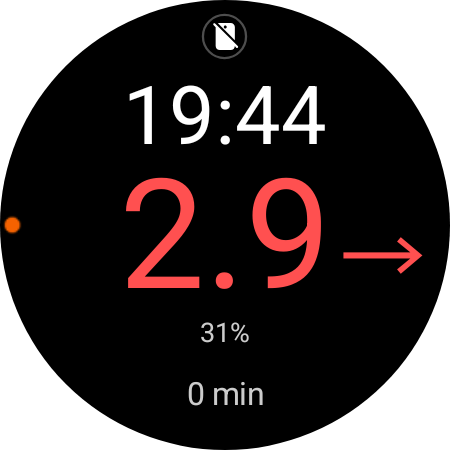
- 24-hour time, small, above the reading.
- Trend arrow beside it — rising, falling or holding.
- Battery underneath, turning red below 15%.
- Minutes since the last reading, with a red dot if nothing has arrived for five.
Why a watch
Reading from a phone means the phone has to be with you, charged, and in your hand every time you want a number you might want twenty times a day. A watch face fits the question better: you are not reading a chart, you are checking one value, often one-handed, sometimes at three in the morning.
It reads from Juggluco and presents what comes back. No account, no cloud, no sync, nothing to log into — and it never speaks the sensor's own protocol at all.
The asterisk
"No phone" is not quite true. Activating a sensor needs an NFC scan from an Android phone — a challenge-response with the sensor firmware that derives the Bluetooth keys — and Wear OS does not give third-party apps NFC, so no amount of software removes it. A sensor lasts fifteen days, so the phone is needed for five minutes a fortnight — and that sits in the README's second paragraph rather than its limitations section, because a tool you depend on medically is not the place to discover the asterisk yourself.
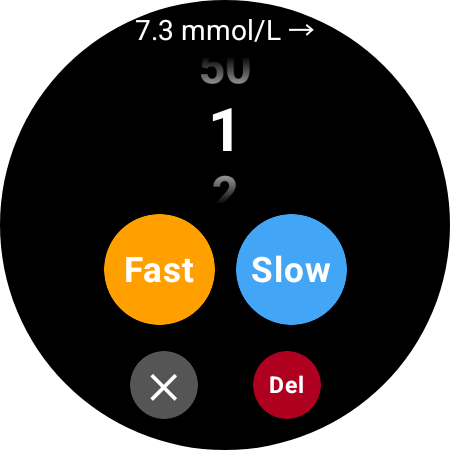
One tap, because two is one too many
Tap the glucose number and the logger opens. The rotating bezel drives the picker — the one input on this watch that works with cold hands, in the dark, without looking. A single tap then commits both the amount and the kind: Fast for a mealtime bolus, Slow for background basal. No confirm step, because a confirm step is what you skip when you are treating a hypo.
Each entry stores the glucose and the trend at the moment of the tap. That is the part that matters later: a dose without the number it was aimed at tells you almost nothing.
How it works
One repository exposes a single StateFlow of the current reading. The watch face and the logger both read it, and three providers can write to it — a broadcast receiver, an HTTP poller, and a mock for the emulator. The mock is gated on Build.HARDWARE rather than a build flag, so one APK behaves correctly on the emulator and on the real watch without a rebuild.
The face is a CanvasRenderer2 rather than the newer declarative Watch Face Format. That was the whole trade: the format is data-binding only and cannot pull from a custom in-process source, and live glucose out of Kotlin state is the entire point.
Getting the data off
Readings and doses accumulate in SQLite on the watch, and a script pulls them over ADB. The history from before the app existed lives inside Juggluco, which exposes no API on Wear OS — so we read its files directly: a flat binary log of twenty-byte little-endian records. Parsed back out, it agrees with the app's own snapshots to about 0.14 mmol/L.
Merging that with the fifteen-minute history the sensor keeps in its own memory is the part that needs care. A fifteen-minute reading is only kept when no one-minute reading sits within seven minutes of it — appending both would double-count the covered periods and quietly flatter time-in-range. Getting it wrong produces a number that looks better and means less.
What the data is for
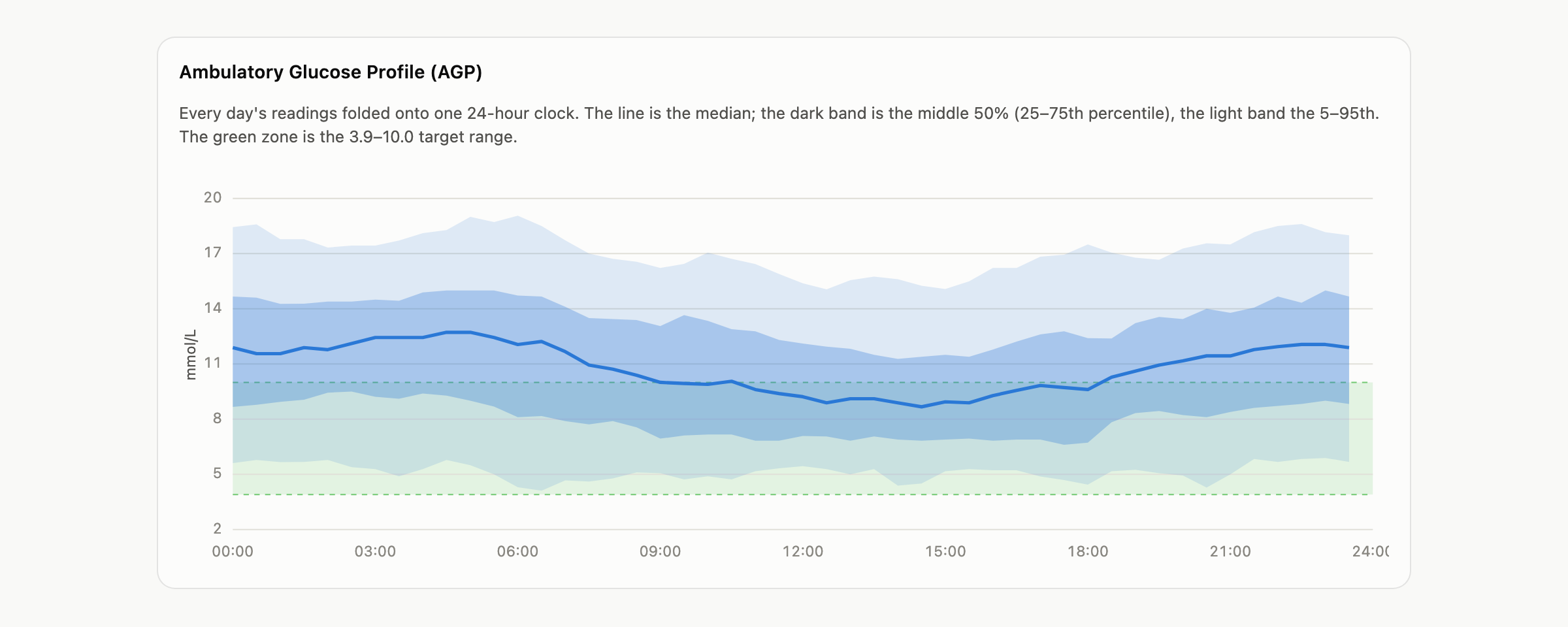
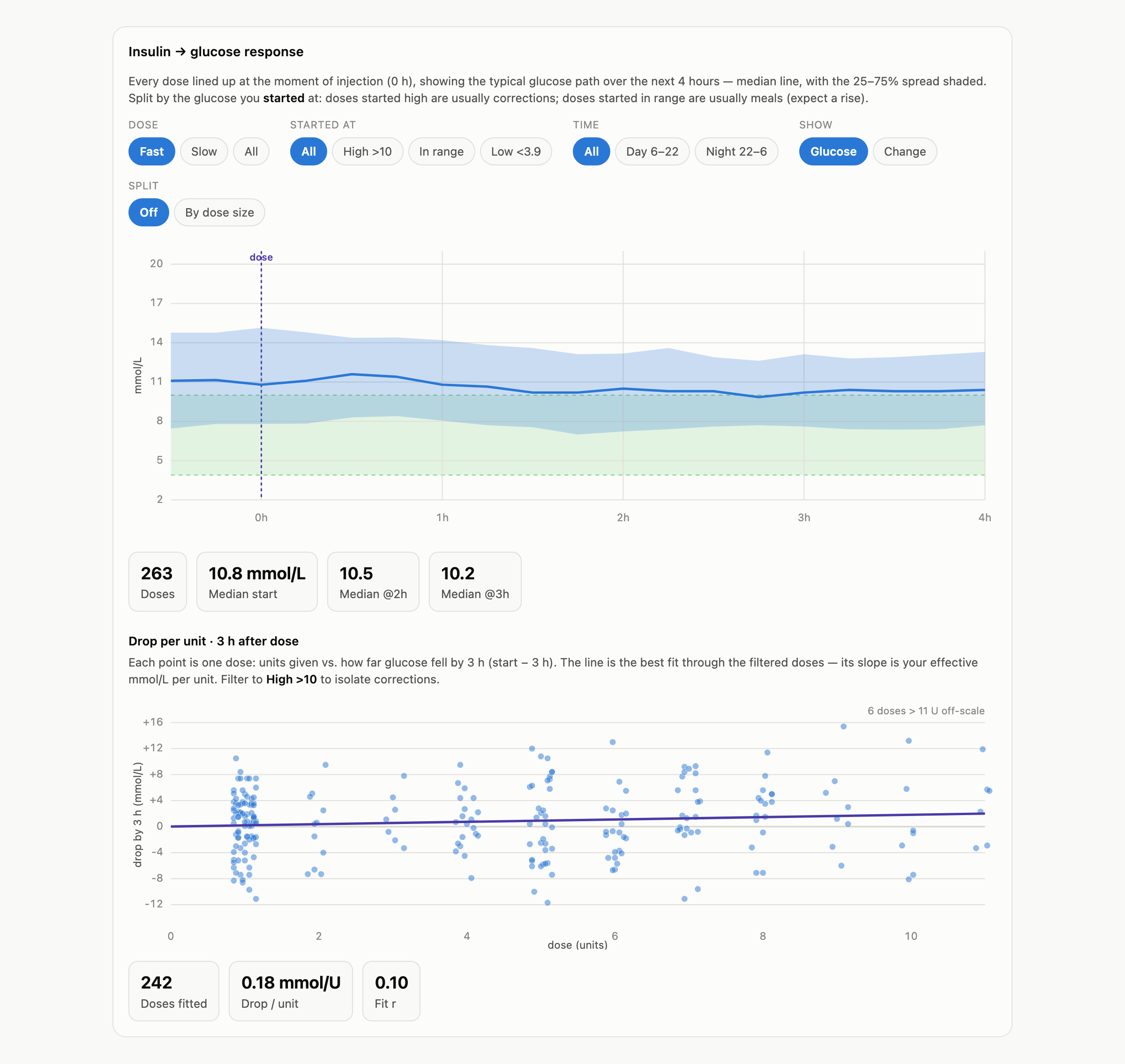
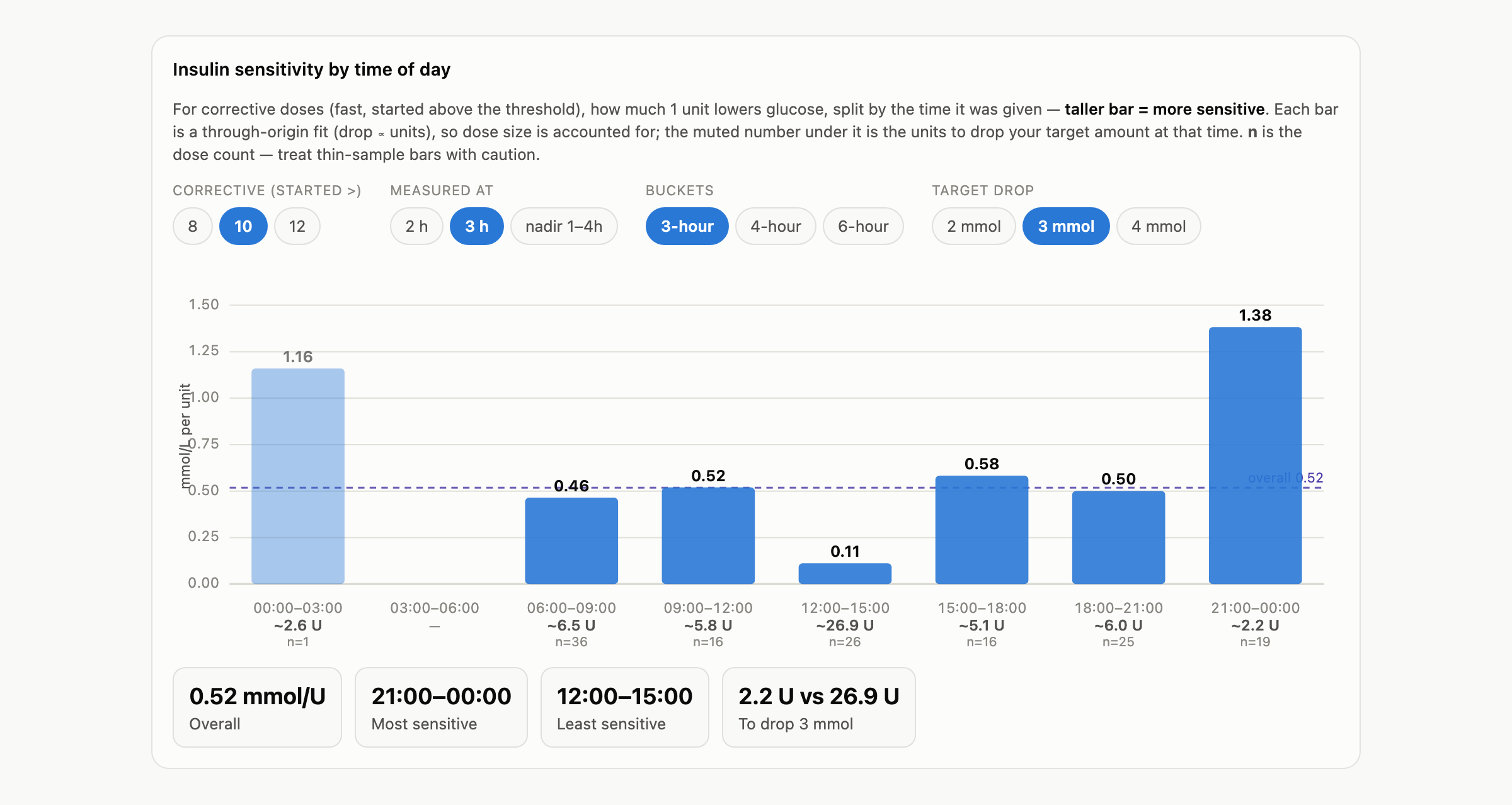
The CSVs build one self-contained HTML dashboard — no server, no CDN, it opens offline from a file. Alongside the summaries a clinic expects, it answers the question the log cannot: what a unit of insulin actually does, and whether that changes with the time of day.
See the whole dashboardOne page, 1.1 MB — it opens in a new tab.
What it does not do
It is personal tooling and it is scoped like it: two insulin types rather than three, no log viewer on the watch because analysis happens on a desktop, and a 28 MB APK nobody has needed to trim. And the sensor change still needs a phone — the honest shape of the thing rather than a roadmap item.